On this page
1. Description
Click Device Onboarding - Group Management to enter the page. Functions include creating, editing, searching, deleting groups, and adding devices to groups.
2. Operations
2.1 Create Group
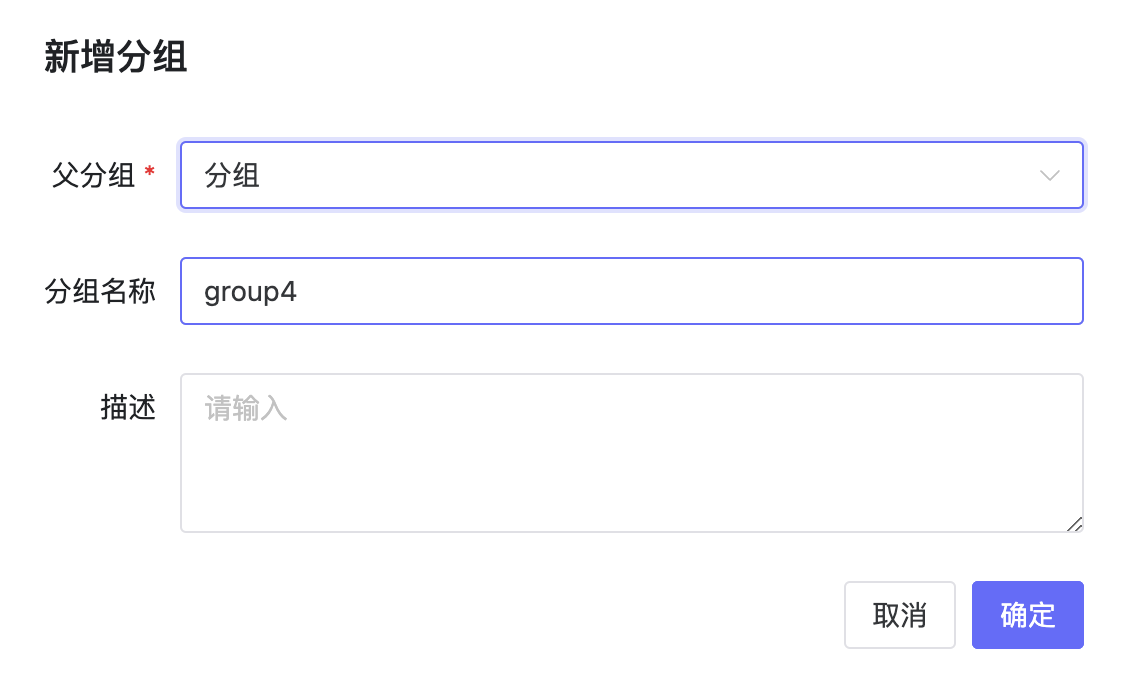
Click Create Group. Enter parent group and group name. Group names cannot be duplicates within the same level.
2.2 Edit Group
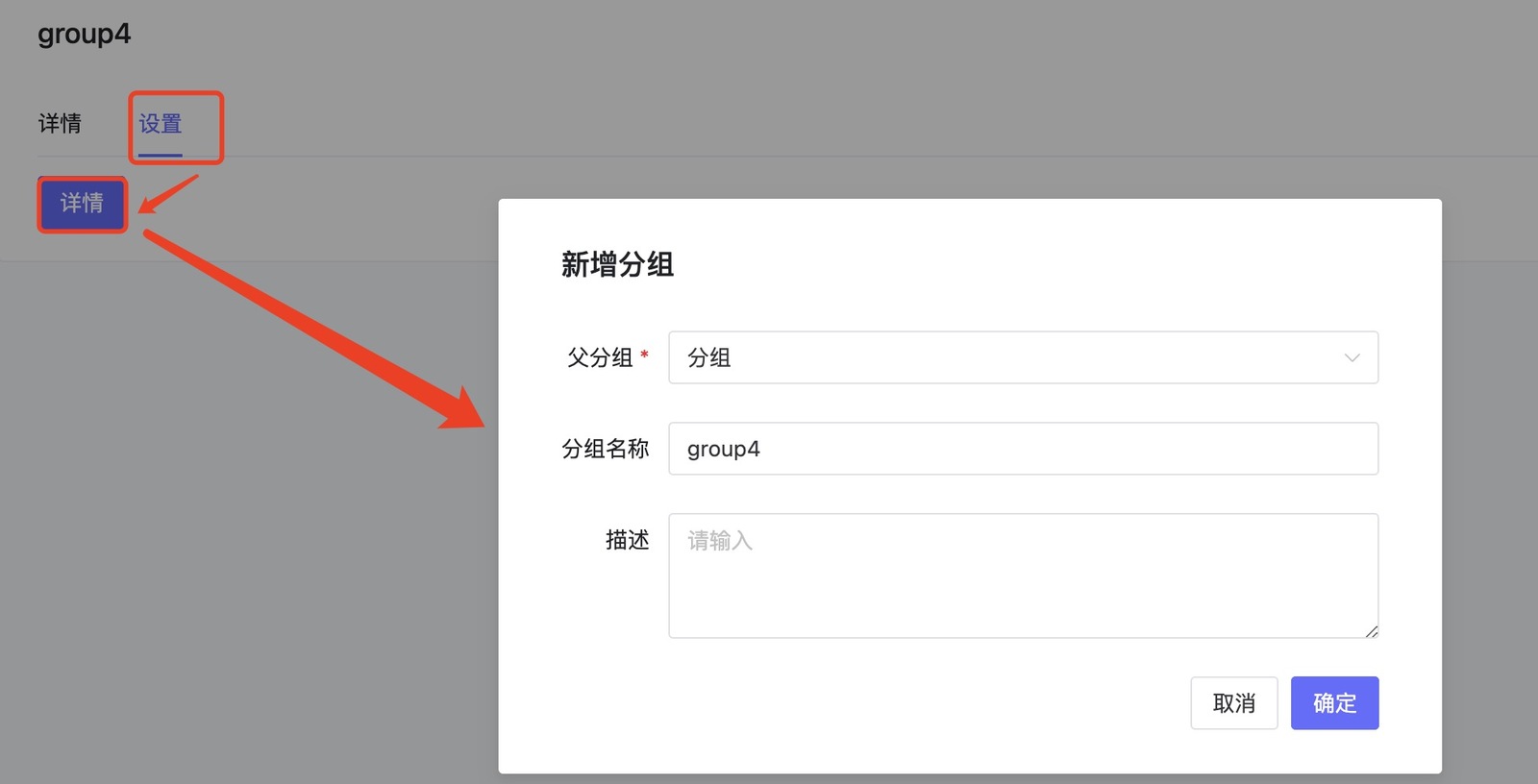
Select group, click Group Info or View button to enter details. Click Settings - Details to show edit popup. Change name, description, etc.
2.3 Add Sub-group
In Group Details, click "Add Sub-group" button.
2.4 Add Device to Group
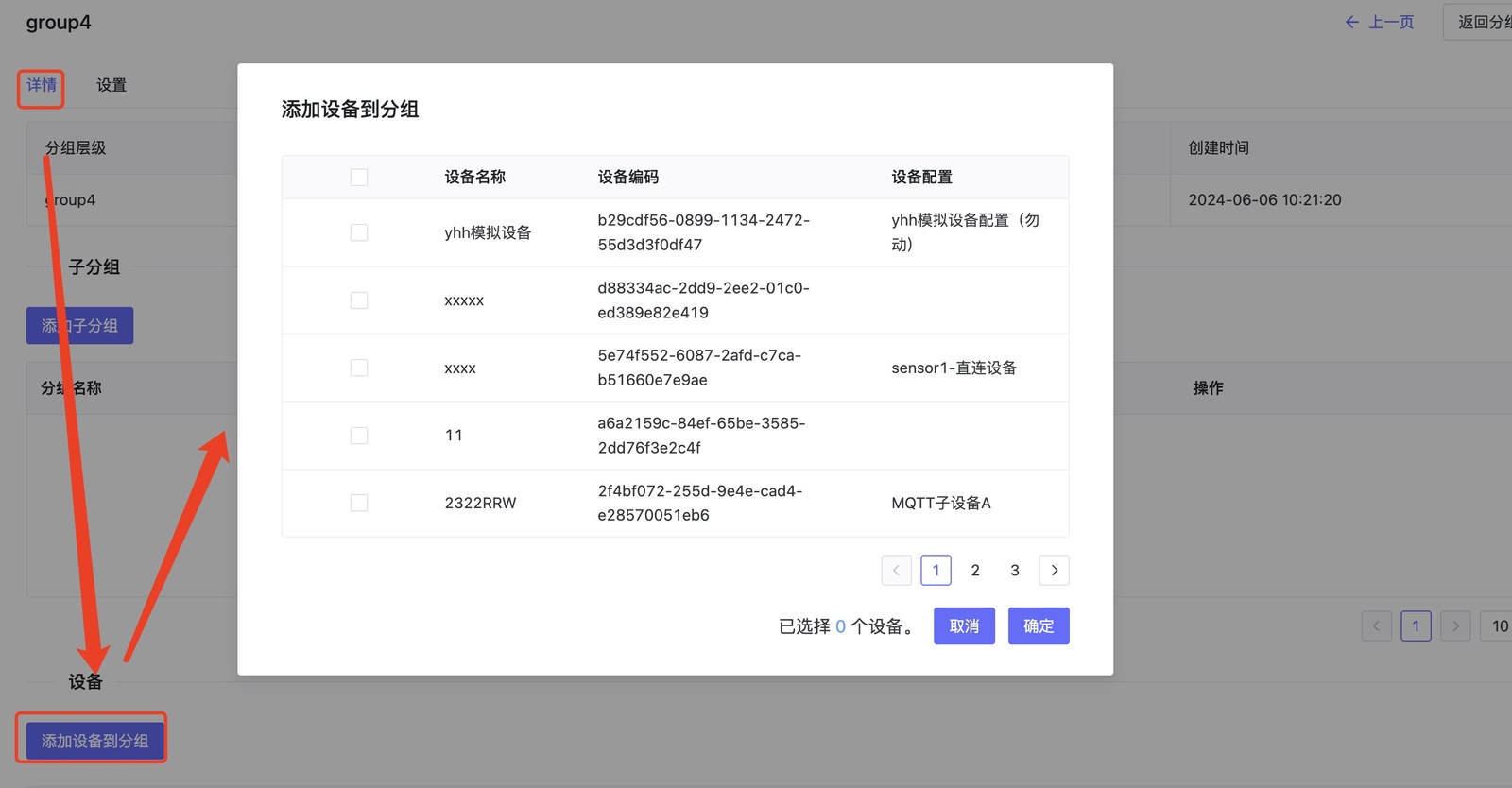
In Group Details, click "Add Device to Group" button. Select devices to add.