Advanced
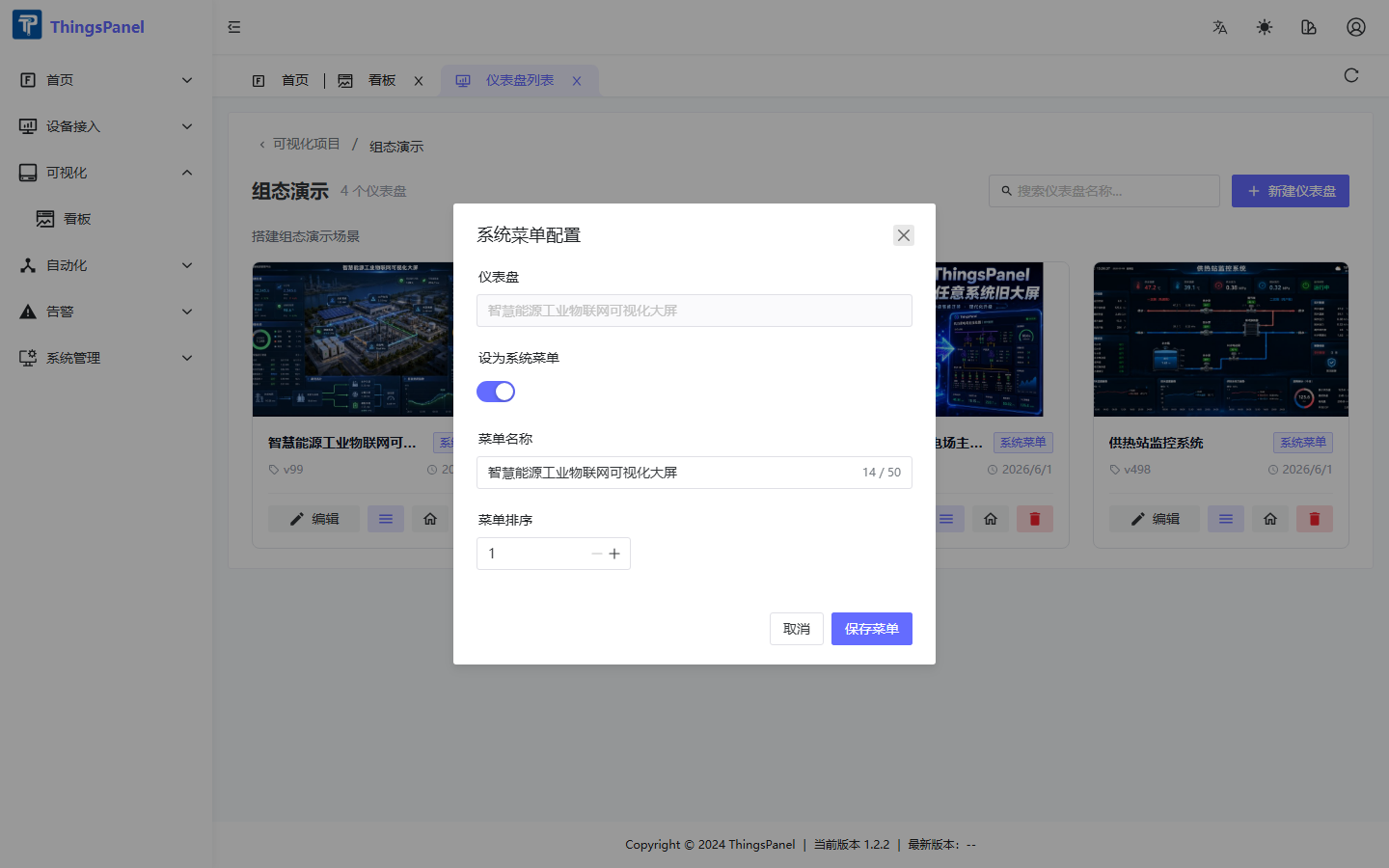
System menu config dialog
Click the menu icon on a dashboard card to open the System Menu Configuration dialog. Enable the toggle, set menu name (max 50 chars) and sort order, then click Save Menu.
Homepage
Mark one dashboard as homepage. It displays at /home after login.
Share & preview
/tv-preview?id=xxx— no login required- Share dialog — generates a link with
shareToken
Super admin space
SYS_ADMIN uses isolated ThingsVis space thingspanel-sys-admin with platform-wide statistics. Tenant admins only see their tenant data.
Widget development
pnpm vis-cli create <category> <name>
See ThingsVis documentation for full widget development guide.