Editor
Click Edit on a dashboard card to open the ThingsVis editor.
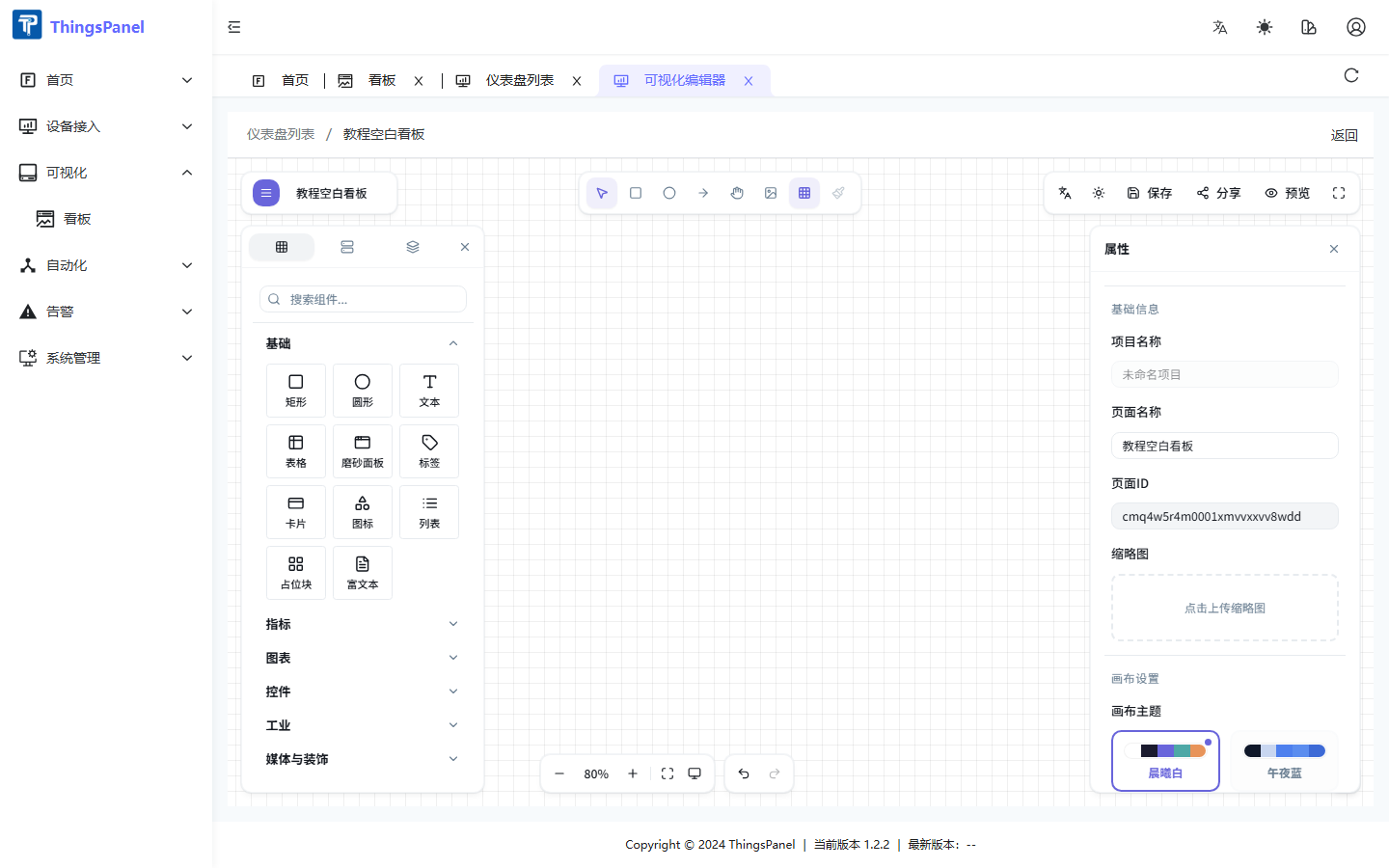
Layout
| Area | Purpose |
|---|---|
| Left panel | Widget library |
| Canvas | Drag-and-drop layout |
| Right panel | Properties and data bindings |
| Top bar | Save, share, preview, publish |
Add widgets
- Search or browse the widget library.
- Drag a widget (e.g. Value Lite, Text, Line chart) onto the canvas and release.
Save & preview
- Save: top bar or Ctrl+S
- Preview: top bar or open
/tv-preview?id=xxx