Matter
The Matter connector lets ThingsPanel discover, bind, monitor and control Matter lights (On/Off and dimmable) that are on your local IP network. It is a Third-party Access connector: you install it once, create an access point, and import the devices you want.
The screenshots show the Chinese interface. Menu and button names are given in English with the Chinese label in parentheses.
1. Overview
- Discover: lists the Matter nodes that have been paired to the gateway runtime (see below) and shows each On/Off or dimmable endpoint.
- Report: Matter attribute reports become telemetry (
power,brightness_pct); reachability becomes online/offline. - Control:
set_powerandset_brightnesscommands from ThingsPanel are sent to the device. - Scope: lights that support the On/Off cluster, optionally with Level Control. No Thread support, no sensors, locks or thermostats.
2. How it works
Matter devices (your LAN, IPv6 + mDNS)
        ▲
Matter gateway runtime   ← run by you, outside the Agent (needs LAN access; owns the Matter "fabric" data)
        ▲  TCP :7001, shared token (keep on a private network)
Matter connector         ← installed from Plugin management (runs under the Agent)
        ▲
ThingsPanel platform + MQTT broker
The connector is deliberately small. Everything that needs the LAN (device discovery, pairing, the Matter fabric credentials) lives in the gateway runtime, which you run yourself. The Agent only manages the connector.
3. Prerequisites
- A ThingsPanel platform with plugin installation (managed runtime identity) and a signed plugin catalog that contains the Matter connector. Your administrator provides this.
- A Linux host on the same IP network (and IPv6/mDNS multicast domain) as the Matter devices, with Docker. On Docker Desktop for Mac/Windows containers cannot join the LAN multicast domain, so use Linux for real devices.
- A persistent Docker volume for the gateway runtime. It holds the Matter fabric (the keys that let ThingsPanel control your devices). Back it up and never share it.
- Devices that are Matter on-network capable (Wi-Fi/Ethernet). Thread devices are not supported.
4. Run the gateway runtime
Generate a shared token (at least 32 characters) and start the gateway runtime on the LAN host:
openssl rand -hex 32          # keep this value; it is the connector's token

docker run -d --name matter-gateway --restart unless-stopped \
  --network host \
  -v matter-gateway-data:/var/lib/thingspanel-matter \
  --tmpfs /tmp:rw,nosuid,nodev,size=64m \
  -e MATTER_CONTROLLER_TOKEN=<token> \
  thingspanel-matter-gateway:<version>
Notes:
- The gateway image is built from the Matter connector repository (
connector/Dockerfile.gateway); ask your administrator for the image and version. - The endpoint listens on port
7001and uses plain TCP. The pairing code is sent over it, so keep it on a private network and allow only the connector's host to reach it. - The connector must be able to reach
<gateway host>:7001. Your administrator sets that address in the Matter catalog entry.
5. Install the connector
This step is done by a platform administrator.
- Open Application Management → Plugin Management (应用管理 → 插件管理) and select the Plugin Installation (插件安装) tab.
- Find Matter and click Install (安装). The card name and version come from your catalog entry.
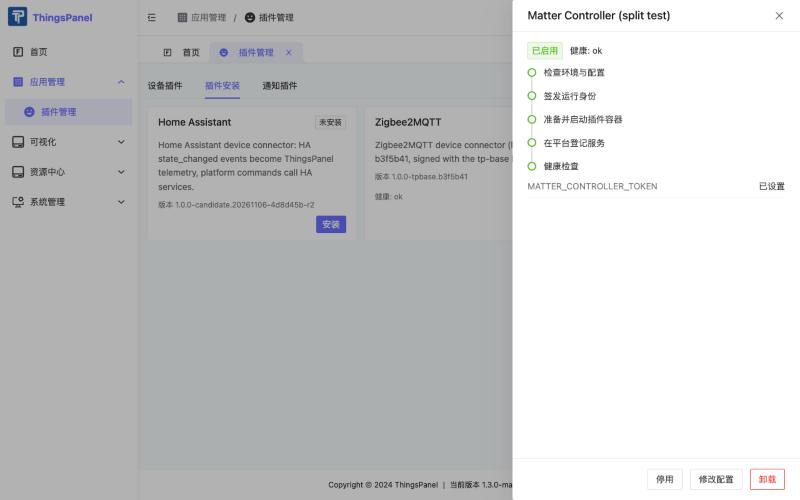
- Enter the gateway token (
MATTER_CONTROLLER_TOKEN) from step 4. The value is stored by the Agent and shown afterwards only as set.
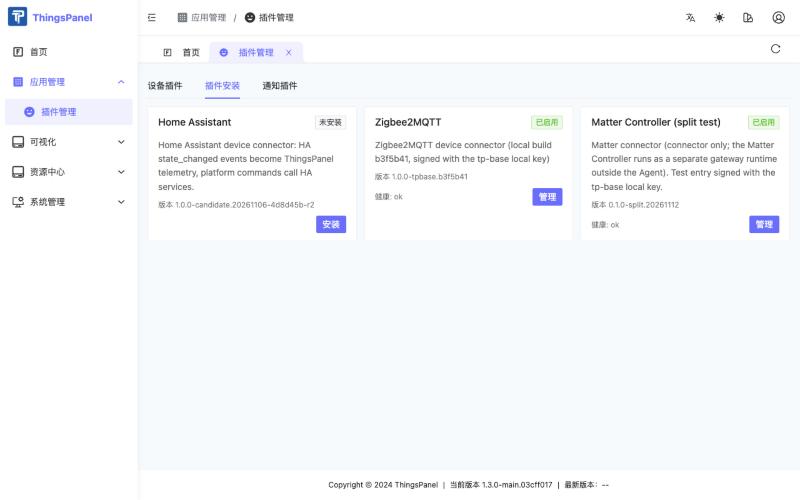
After a short time the card shows Enabled (已启用). Click Manage (管理) to see the install steps and health.
6. Pair a light with the gateway
Pairing is done on the gateway host, not in ThingsPanel. Put the light in pairing mode (or open a commissioning window from the vendor app), then:
docker exec -it matter-gateway /connector matterctl commission --timeout-seconds 30
The command asks for the setup PIN without echoing it. It is sent once to the local controller and is never logged or stored. Check the result:
docker exec matter-gateway /connector matterctl list
Each paired On/Off or dimmable endpoint is listed with its node id and endpoint. To remove a node from the Matter fabric (unbinding in ThingsPanel does not do this):
docker exec matter-gateway /connector matterctl remove --node-id <node-id> --confirm
7. Create a thing model and a device template
ThingsPanel sends commands that are defined by a thing model. Do this once per tenant.
7.1 Thing model
-
Open Device Access → Thing Models (设备接入 → 物模型) and click New thing model (新建物模型). Enter a name (for example
Matter Dimmable Light) and a version. Save.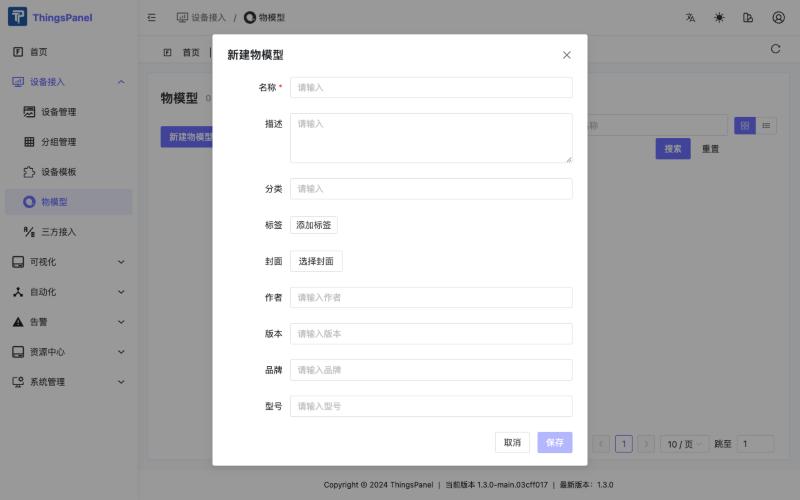
-
Open the Thing model definition (物模型定义) tab. Under Telemetry (遥测) add two fields:
Name Identifier Data type Power powerBoolean Brightness brightness_pctNumber 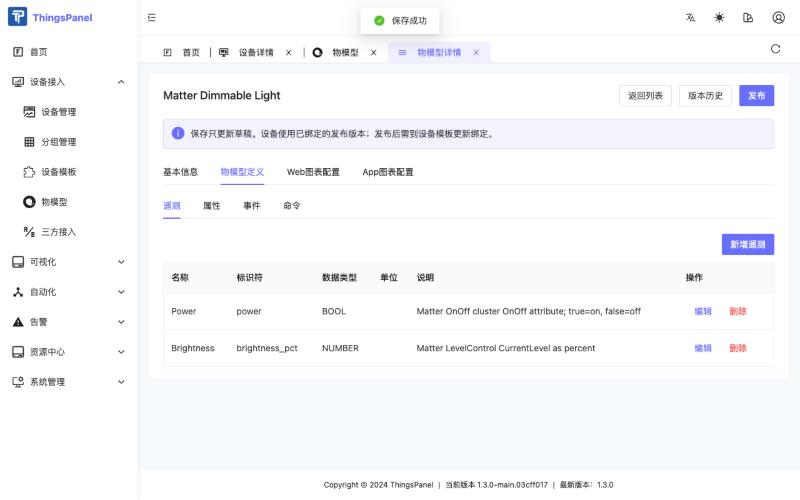
-
Under Commands (命令) add two commands, each with one parameter:
Name Identifier Parameter Type Set power set_powervalueBoolean (true = on) Set brightness set_brightnessvalueNumber (0–100) 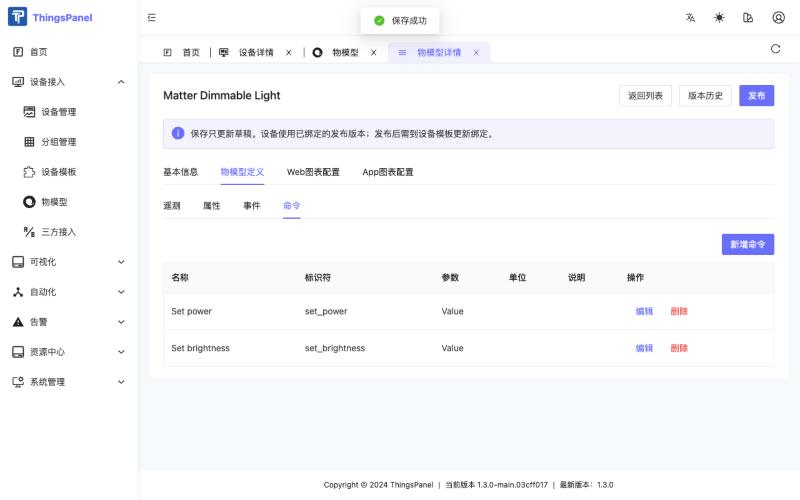
-
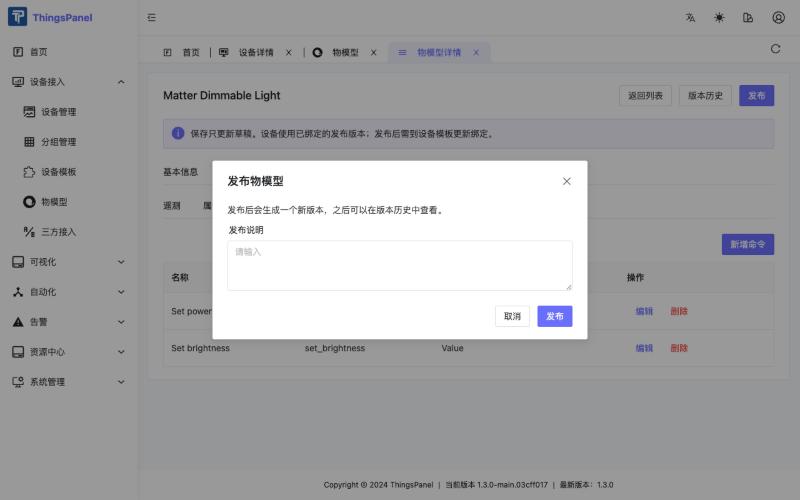
Click Publish (发布). A published version is what devices use; editing the draft later does not change devices until you bind the new version.
7.2 Device template
The discovery dialog offers a Device template (设备模板) per device. Create one for the Matter connector, using the script from the connector repository (it calls the same API the UI uses):
TOKEN=$(curl -s -X POST https://<platform>/api/v1/login -H 'content-type: application/json' \
  -d '{"email":"<tenant user>","password":"<password>"}' | jq -r .data.token)

TP_BASE_URL=https://<platform> TP_TOKEN=$TOKEN \
  scripts/create-matter-template.py templates/dimmable-light.json --config-only --protocol-type matter
Then open Device Access → Device Templates (设备接入 → 设备模板), open the new Matter Dimmable Light template, go to the Thing model (物模型) tab, choose your thing model and its published version, and click Save (保存).
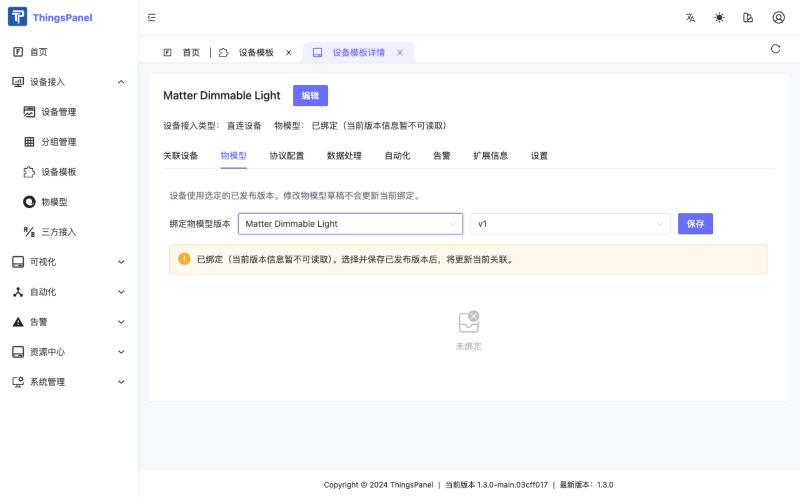
--protocol-type is the service identifier of the installed connector (matter unless your administrator chose another one).
8. Create an access point and bind devices
-
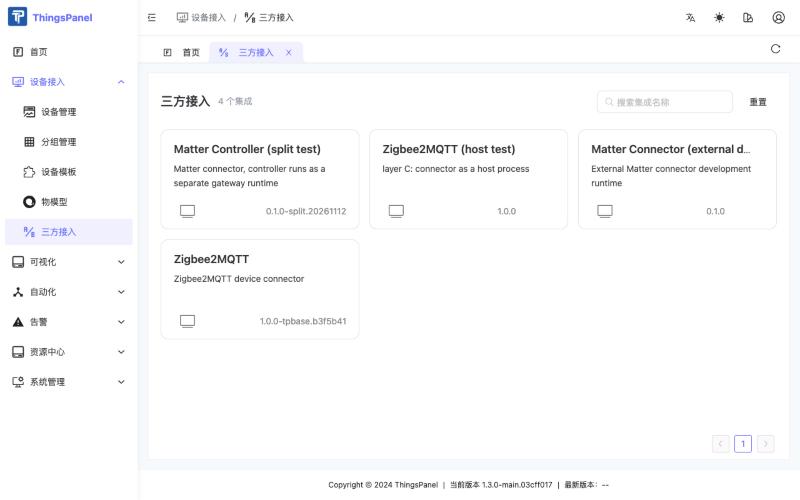
Open Device Access → Third-party Access (设备接入 → 三方接入) and click the Matter card.
-
Click New access point (新建接入). Enter a name and keep the mode Manual (手动). The Matter connector needs no other settings. Click Save and next (保存并下一步).
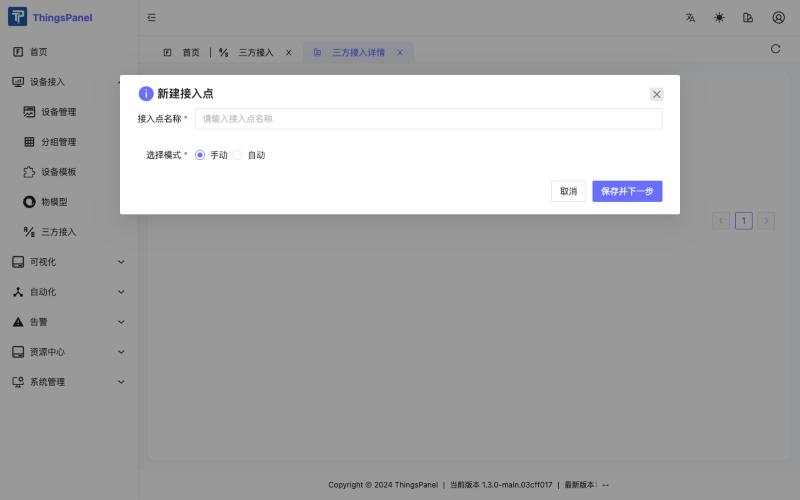
Use one access point per gateway runtime: a gateway is tied to the first access point (and tenant) that uses it.
-
The dialog lists the devices found by the gateway.
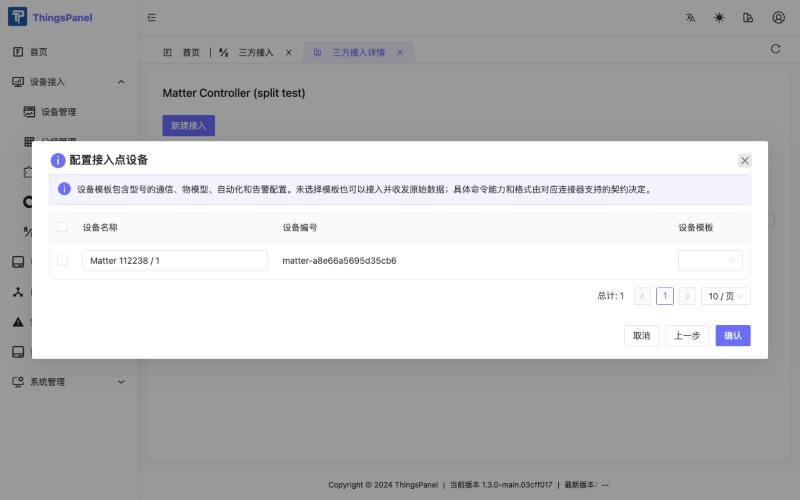
Tick the device, choose the Device template (设备模板) from section 7, and click Confirm (确认).
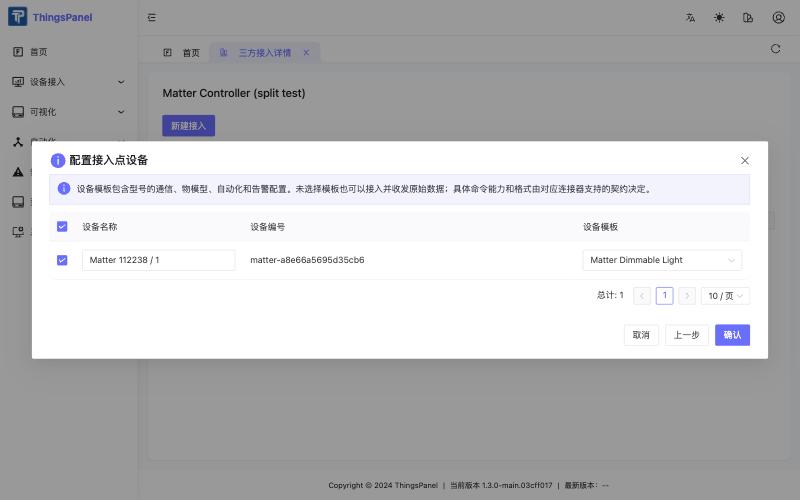 caution
If you click Confirm without a ticked device, ThingsPanel only shows "Access point configuration saved" and binds nothing. Tick the device first.
-
The access point list now contains your access point. View devices (查看设备) opens the device list; Edit configuration (修改配置) reopens the dialog to bind more devices.
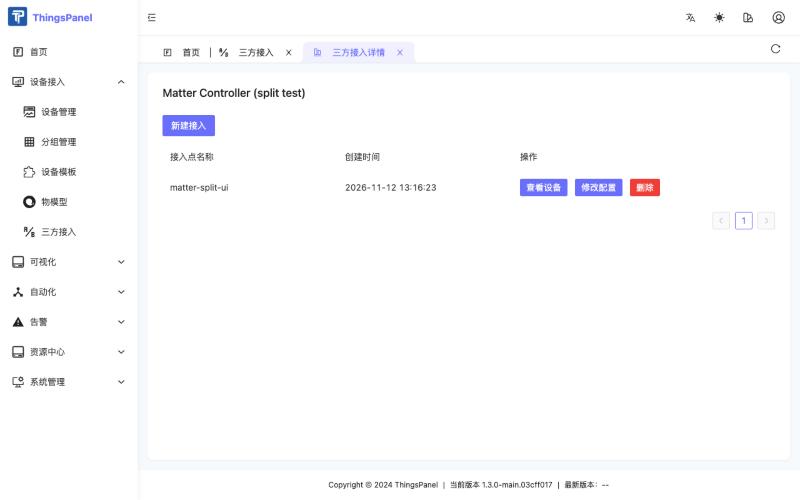
A newly bound device is picked up within about two minutes and then shows online. If it stays offline, ask your administrator to refresh the broker device scope.
9. Monitor and control
Open Device Access → Device Management (设备接入 → 设备管理).
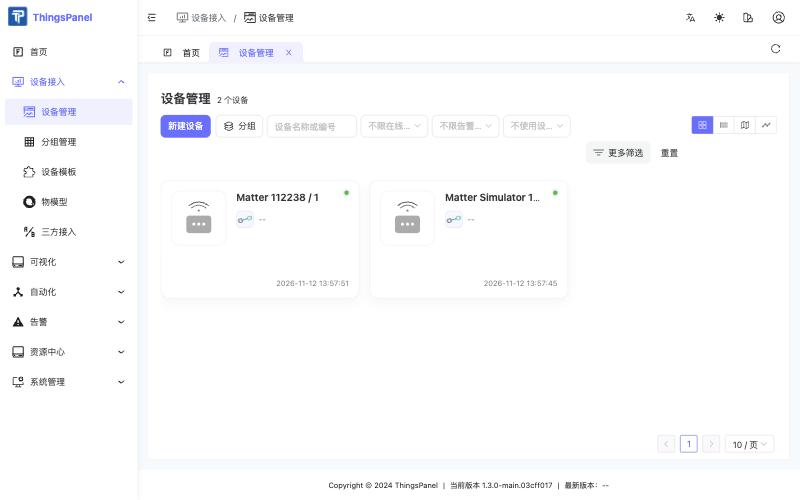
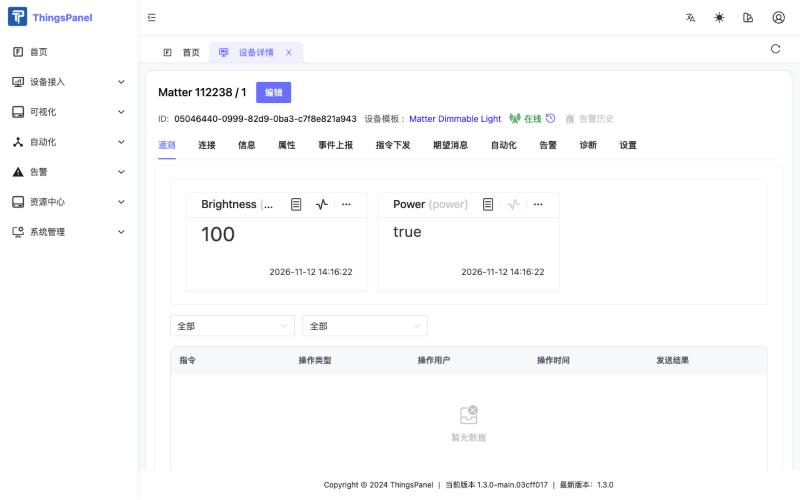
Open the device. The Telemetry (遥测) tab shows power and brightness_pct.
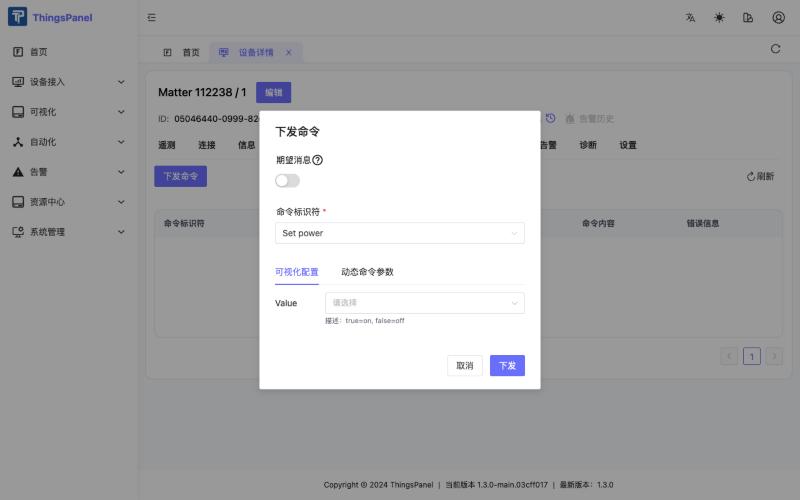
Open the Commands (指令下发) tab, click Send command (下发命令), choose Set power or Set brightness, set Value, and click Send (下发).
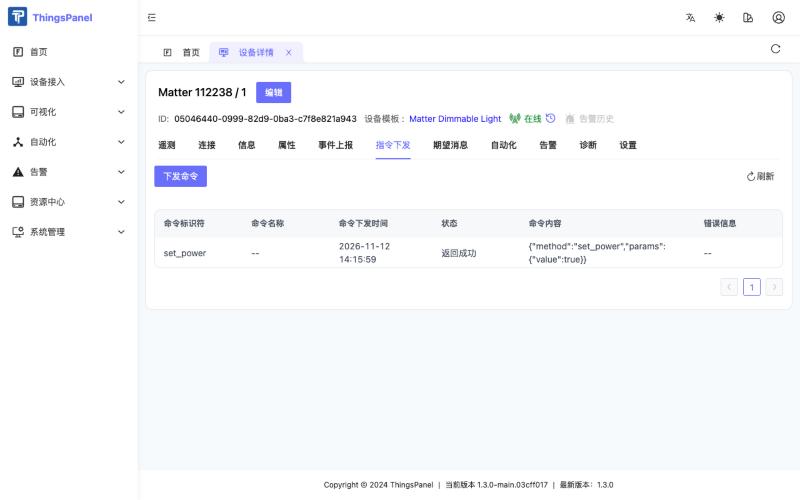
The command list shows the result. "Returned success" means the Matter controller accepted the command; the new state then arrives as telemetry.
Telemetry and commands
| Item | Identifier | Value |
|---|---|---|
| Telemetry | power | true / false |
| Telemetry | brightness_pct | integer 0–100 (mapped to Matter level 1–254) |
| Command | set_power | {"value": true} or {"value": false} |
| Command | set_brightness | {"value": 0..100} |
You can also send commands through the platform API (POST /api/v1/command/datas/pub) with the same identifiers and values.
10. Known limitations and FAQ
The device list is empty although the binding succeeded. In platform builds whose front end lists devices from the new device store only (/api/v2/devices), devices bound through Third-party Access are not shown yet. They exist and work (telemetry, commands, templates); open them from the template's Associated devices (关联设备) tab, or use the released v1.3.0 front end. This is a platform limitation, not a Matter issue; Zigbee2MQTT and other Third-party Access connectors are affected in the same way.
The command dialog has no commands. The device template is not bound to a published thing model version. See section 7 and the warning shown in the dialog.
The device stays offline after binding. Wait up to two minutes for the connector's status refresh. The platform's broker device scope must include the new device; ask your administrator to refresh it if it does not.
A brightness change shows up late. Telemetry follows the device's own state report, so a brightness change can arrive some seconds after the command, depending on the device and your network.
Unbinding a device does not remove it from the Matter fabric. Use matterctl remove on the gateway host.
Several access points. A gateway runtime serves exactly one access point. Run another gateway runtime (and another connector instance) for another tenant or site.
Security. The gateway token and the fabric volume give control over your devices. Keep the endpoint on a private network, do not publish the token, and never put development or simulator trust roots into a production gateway.
For build instructions, the architecture and the test record see the Matter connector repository.